
What Is Golden Dragon?
Golden Dragon is an online game platform with fish-shooting games, slot-style games and other arcade-style titles.
If you’re new, this guide will show you what you’ll see, how the basic controls work, and what to do first.
Golden Dragon in 30 Seconds
After you sign in, Golden Dragon opens to a game lobby where you can choose from different types of games.
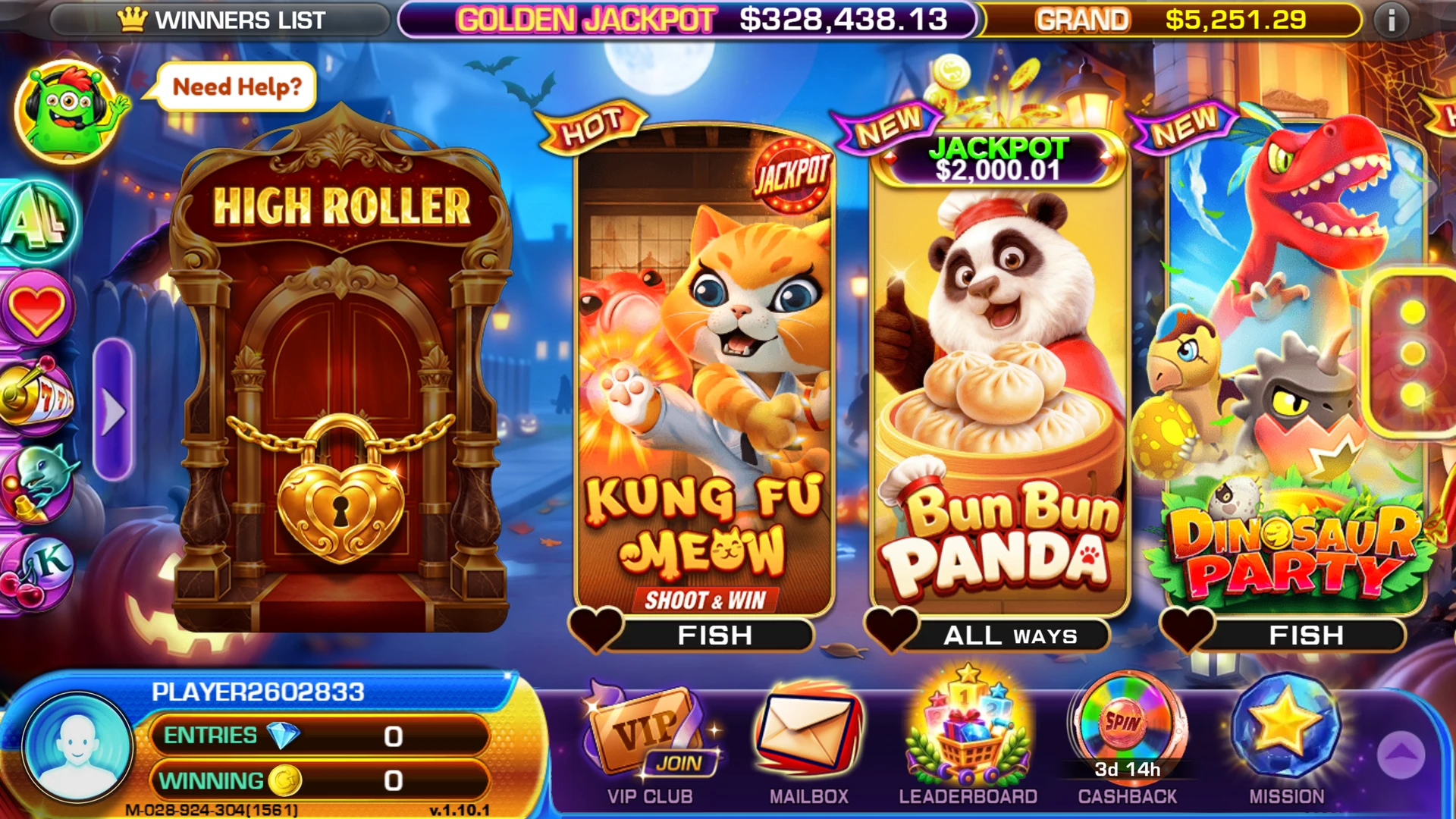
Some games are fish-shooting games, where you control a cannon and fire at moving targets.
Others use a more familiar slot-style format, with reels, symbols and spins.
Pick a game from the lobby and open it to start.
Sign In with Your Mobile ID
Your Golden Dragon account uses a Mobile ID to identify you.
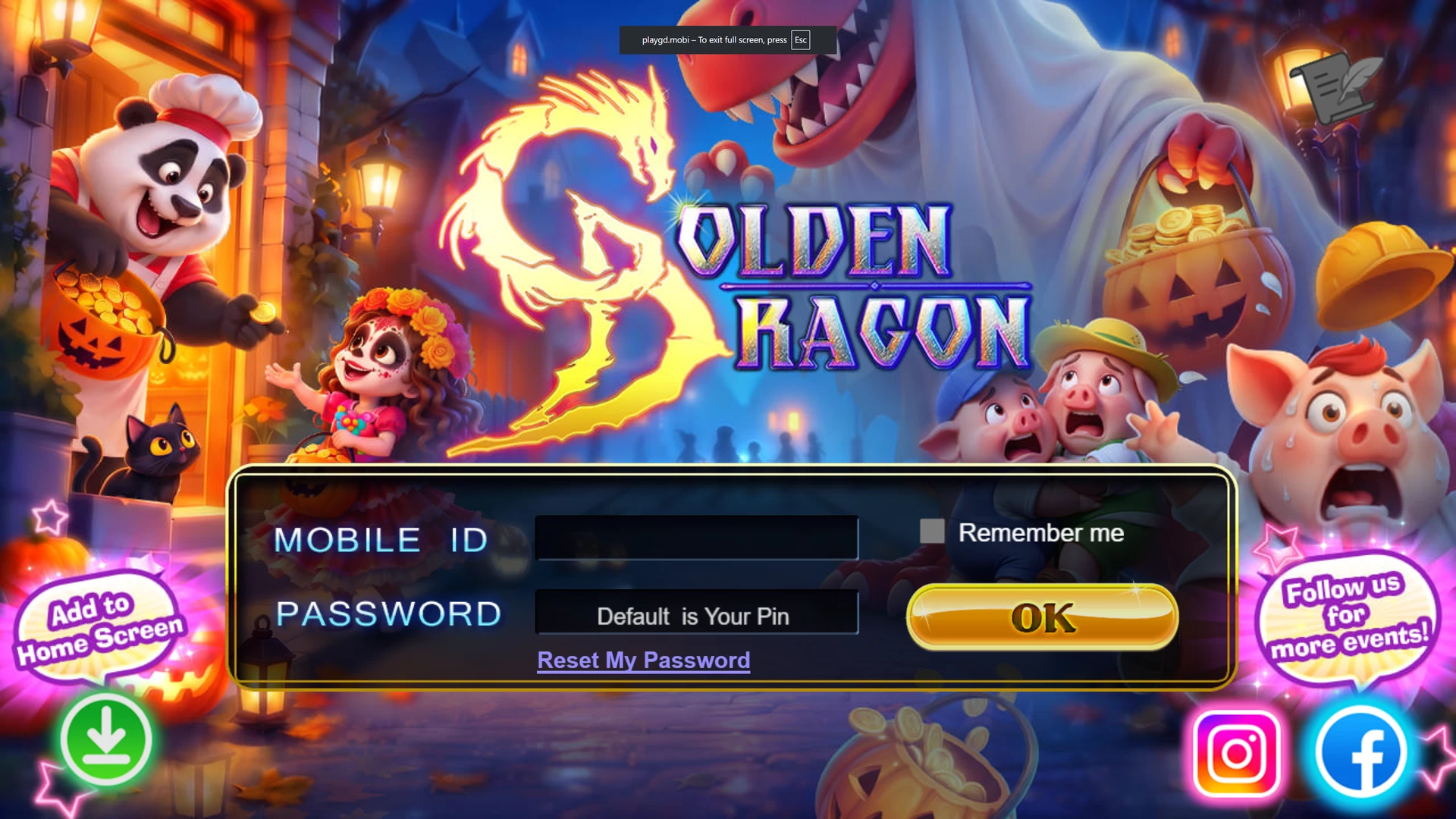
To sign in:
Enter your Mobile ID
Example: M-093-763-344
Enter your password
Your PIN may be used as the default password when the account is first created.
Tap OK
You’ll enter the Golden Dragon game lobby.
Don’t have a Golden Dragon account yet?
REQUEST AN ACCOUNT FROM 7BIT →What You’ll See in a Fish Game
Fish games can look busy at first, but the basic idea is simple.
You’ll see different targets moving across the screen, including:
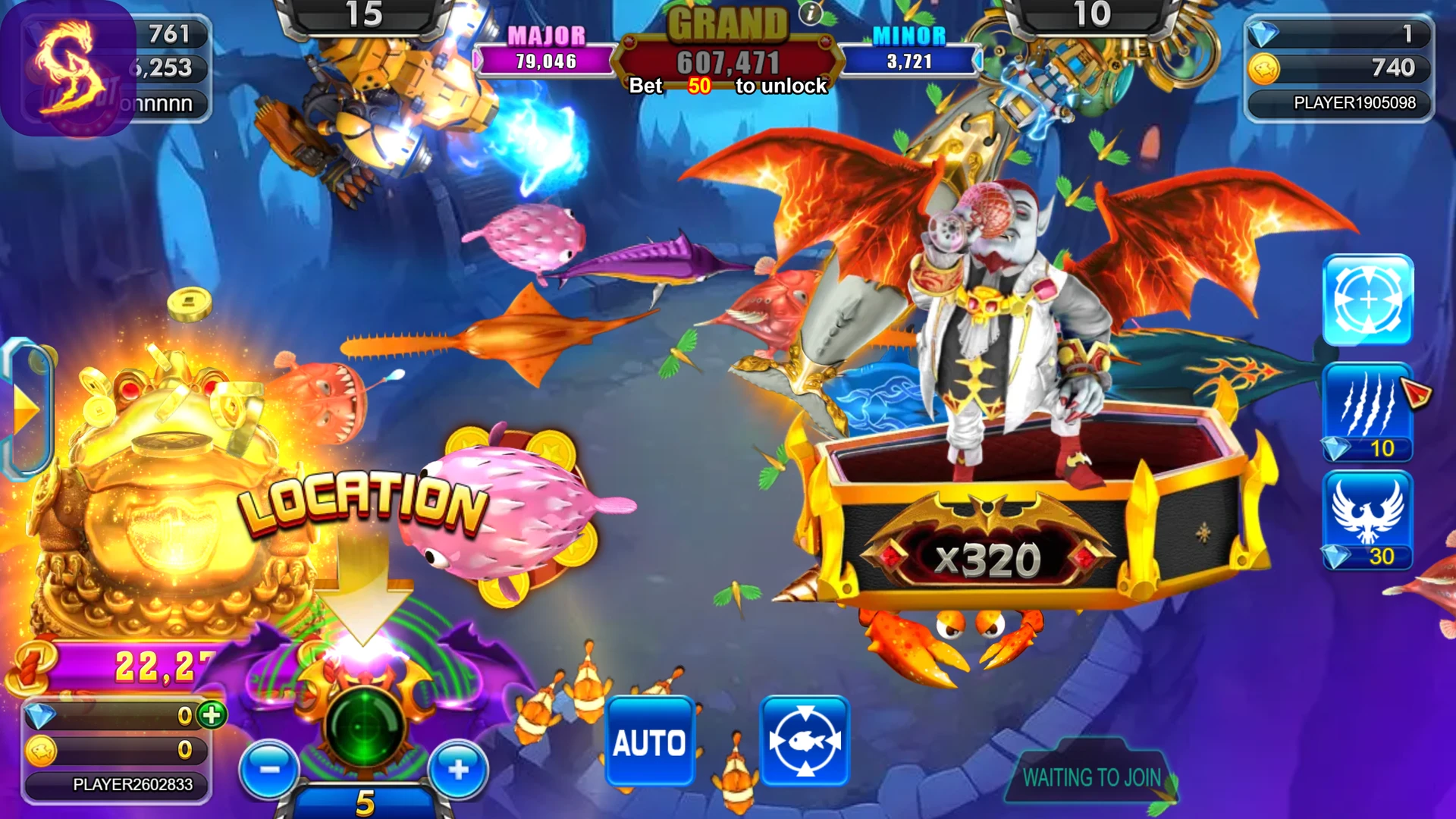
- Regular fish
- Smaller and more common targets.
- Larger targets
- Bigger fish and characters that stand out from the rest of the screen.
- Special targets and bosses
- Some games include large characters, bosses or special objects with their own effects.
- Jackpots and game events
- Certain games may also display jackpots, bonus events or special rounds.
The exact targets and features are different from game to game.
Fish Game Controls
Most fish games give you a few basic controls around your cannon.
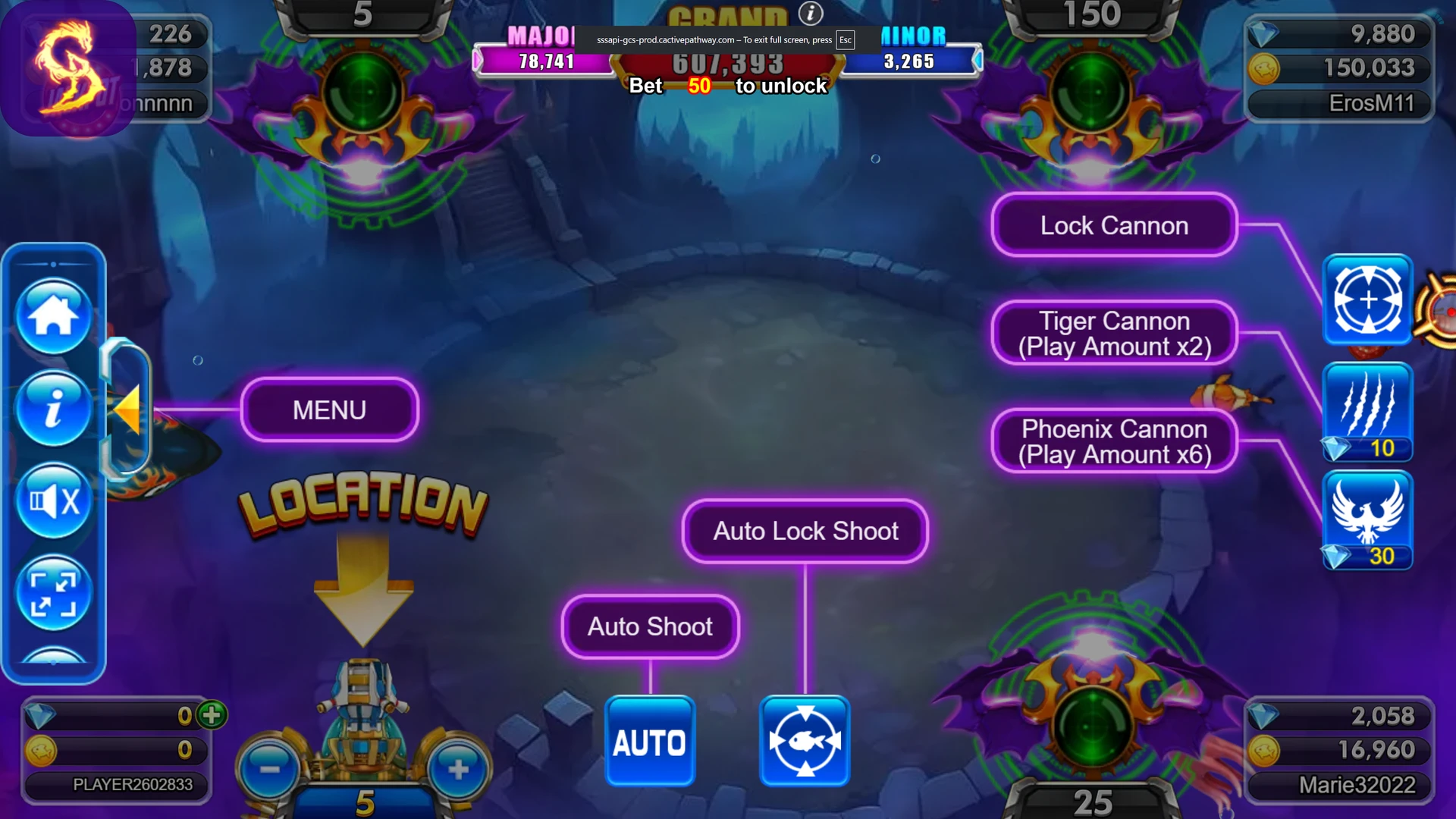
- Menu
- Opens the game’s available settings and options.
- Auto Shoot
- Lets the cannon fire automatically.
- Auto Lock Shoot
- Helps keep fire focused on a selected target.
- Lock Cannon
- Locks or changes the cannon mode depending on the game.
- Special Cannons
- Some games offer stronger or different cannon modes. For example, the screen may show options such as Tiger Cannon or Phoenix Cannon with different play amounts.
- + / – Controls
- Used to adjust your current shot or play amount.
Controls and special weapons can vary between games.
Two Common Ways to Play
Manual Aim
You control where the cannon points and choose what you want to shoot.
This gives you direct control over which part of the screen you focus on.
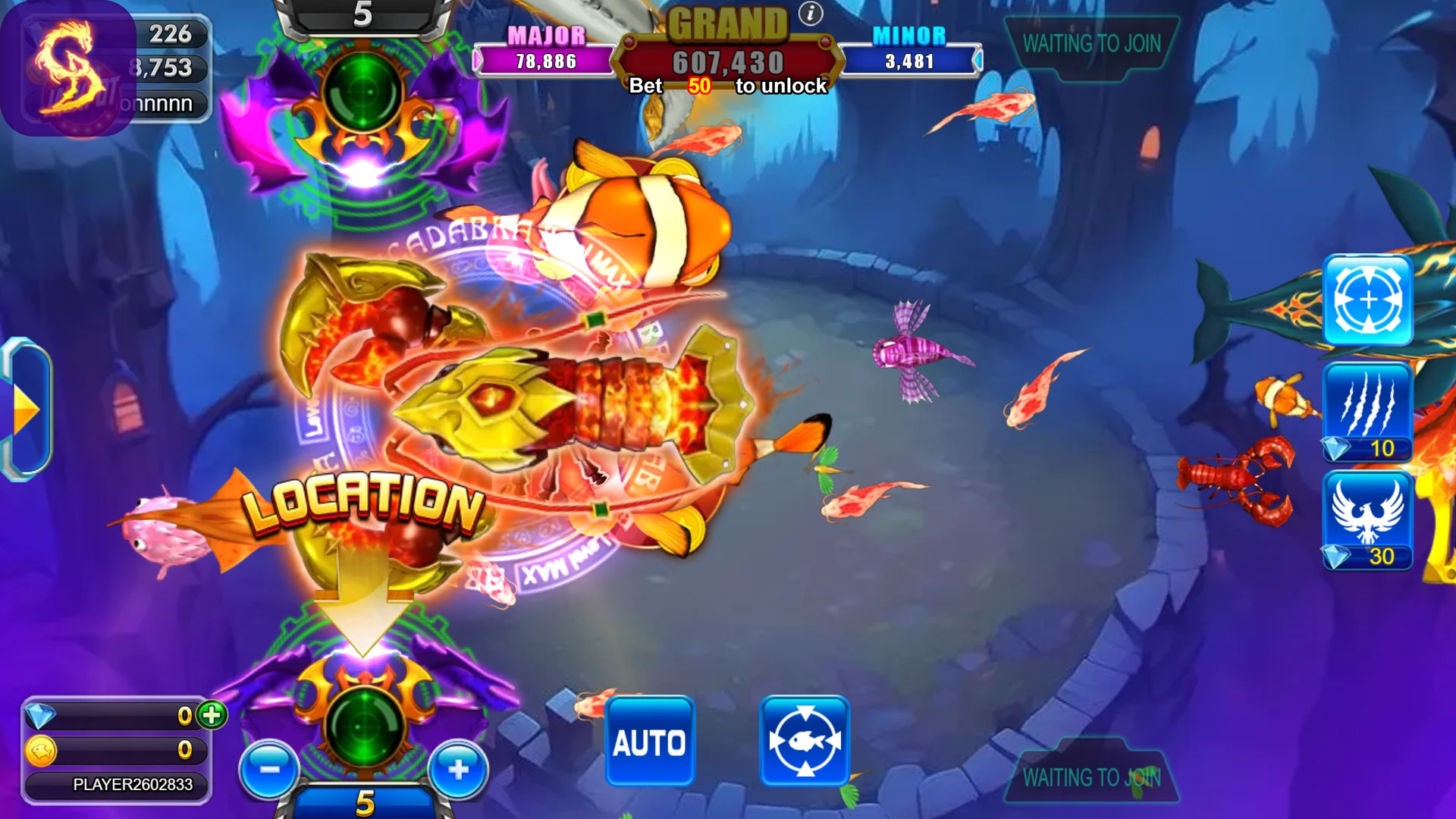
Lock-On / Targeted Fire
Some games let you select or lock onto a target so the cannon can stay focused on it more easily.
This can be useful when the screen gets crowded or when you want to follow one target.
The exact aiming and lock-on controls depend on the game you’re playing.
Fish Games vs Slot-Style Games
Golden Dragon includes more than one style of game.
Fish Games
- Moving targets
- Cannon and shooting controls
- Continuous action on screen
- Manual, auto or lock-on controls depending on the game
Slot-Style Games
- Reels and symbols
- Choose a play amount
- Tap or spin to start a round
- Each spin produces its own result
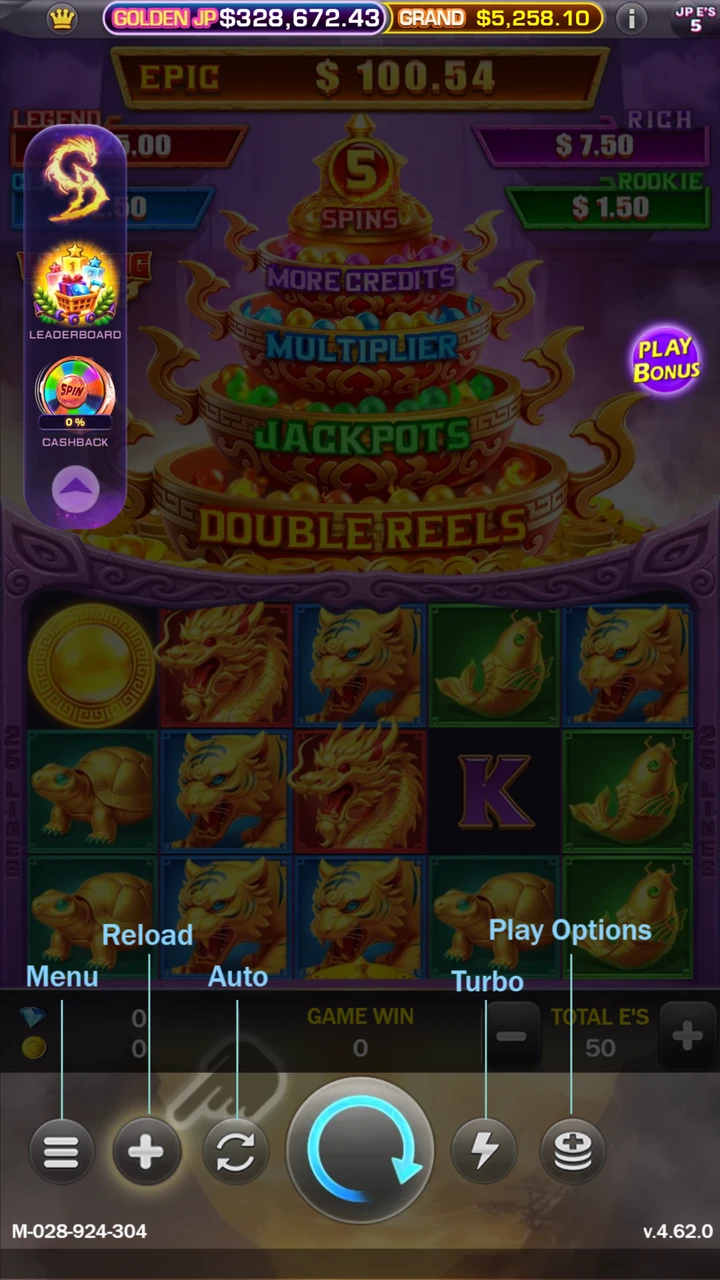
If fish games feel unfamiliar, you can also explore the other game styles available in the Golden Dragon lobby.
What to Do First
Get your Golden Dragon account
Already have one? Keep your Mobile ID ready.
Need one? Request an account from 7Bit.Sign in and explore
Open Golden Dragon and look through the available games.
Join 7Bit
Link your Golden Dragon account to your 7Bit profile to access eligible Drops and member rewards.
Quick Questions
What is a Mobile ID?
It’s the ID used to identify your Golden Dragon game account.
Do I need to download an app?
7Bit currently provides browser access through playgd.mobi.
What is a fish table game?
It’s an arcade-style game where moving targets appear on screen and you control a cannon to fire at them.
Is Golden Dragon only fish games?
No. Golden Dragon also includes other game styles, including slot-style games.